

GoHighLevel Integrations: 20+ Tools You Can Connect to GHL in 2027
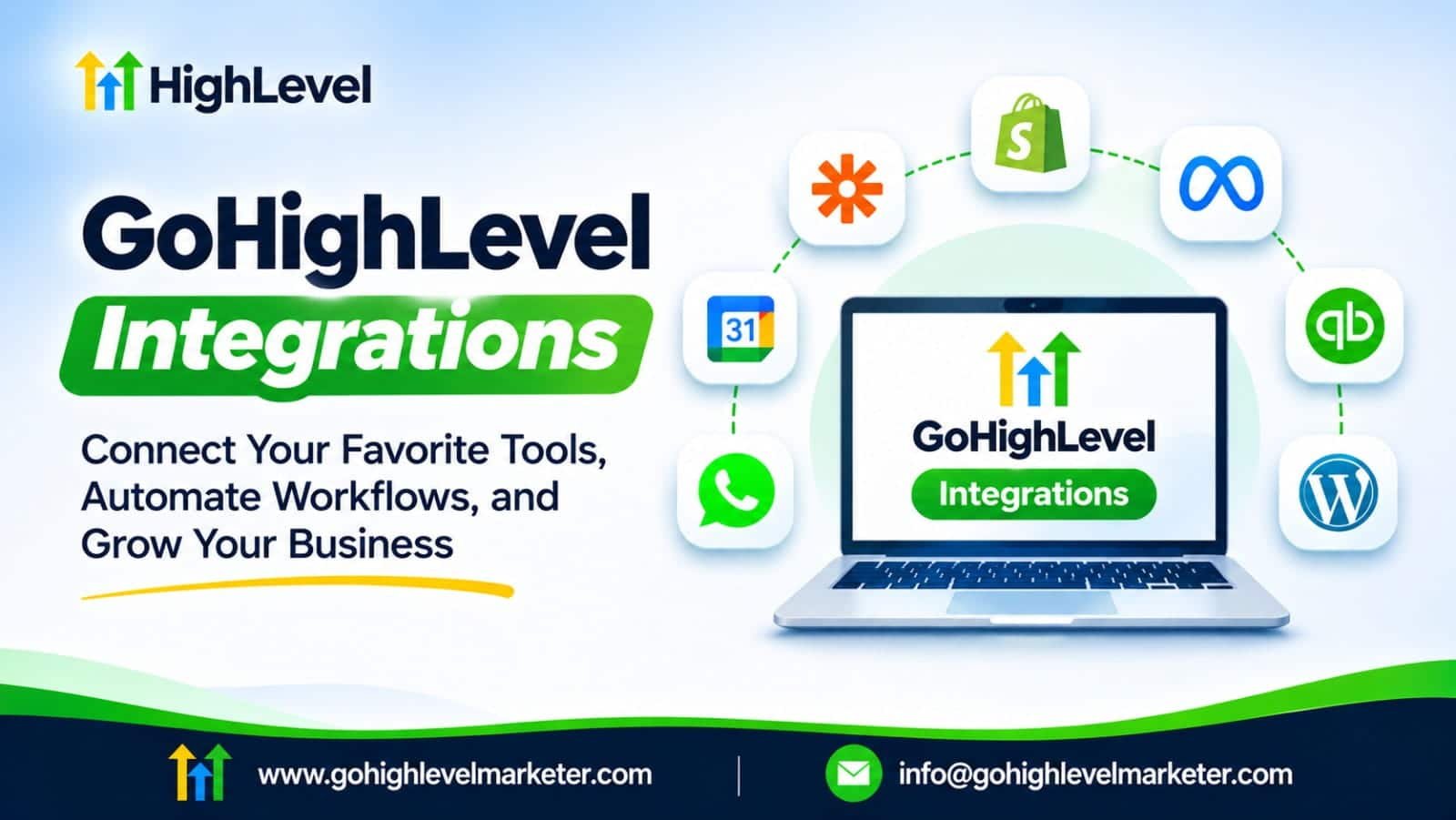
GoHighLevel becomes much more powerful when you connect it to the other tools your business already uses. You can sync leads, automate customer communication, process payments, manage appointments, track calls, and connect ecommerce or accounting systems without moving data manually.
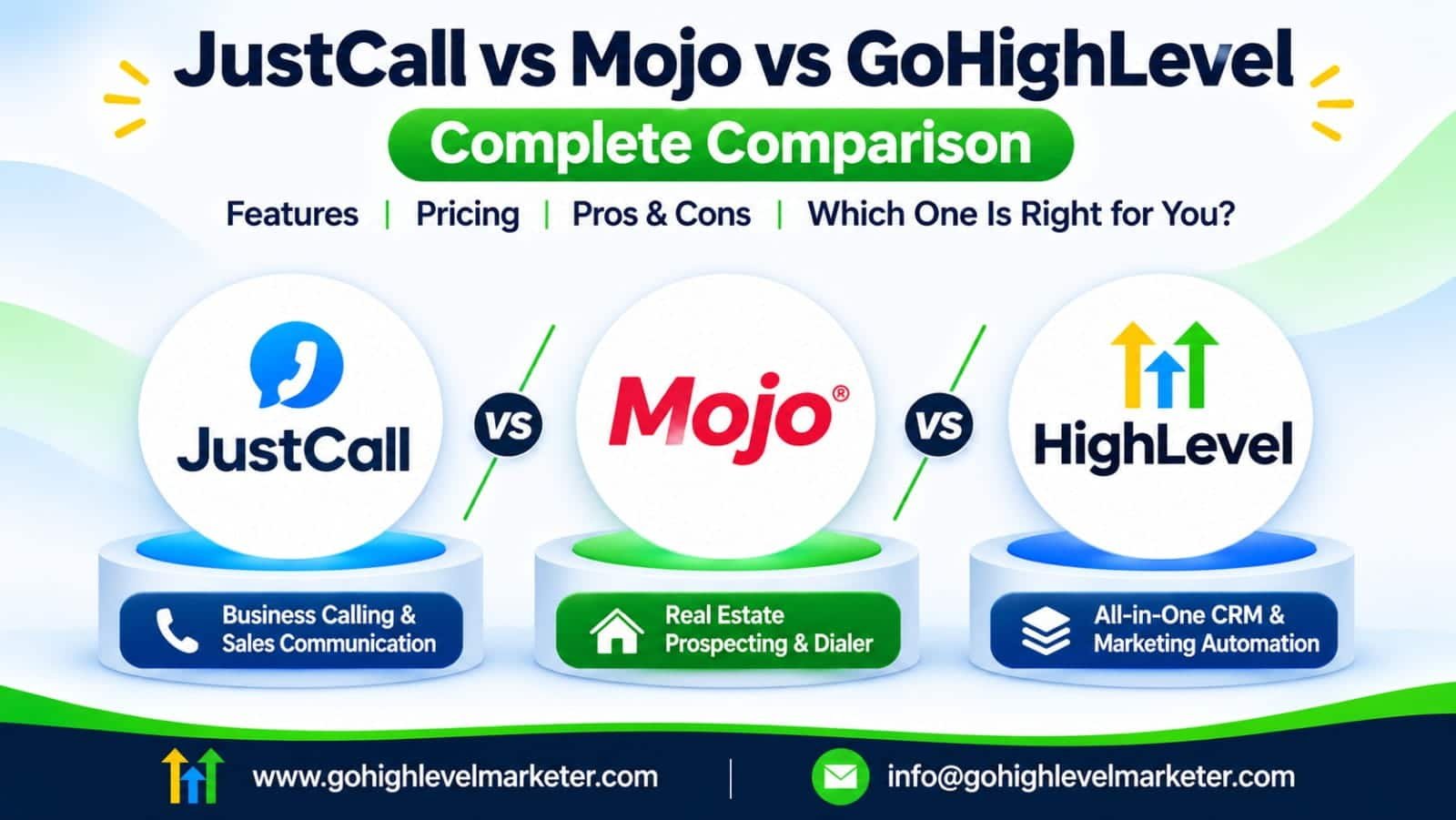
This guide covers the most searched GoHighLevel integrations, including Shopify, Jobber, WhatsApp, ActiveCampaign, n8n, CallRail, QuickBooks, WordPress, Zapier, Google, Facebook, Stripe, and more. It also explains where JustCall and Mojo fit into a GoHighLevel setup.
The key distinction throughout: some integrations are native, some are available through the App Marketplace, and others require Zapier, n8n, webhooks, or the API. Those methods are not interchangeable, so each section identifies the likely connection route and what to verify before implementation.
What the current search results reveal
The search results for GoHighLevel integrations tend to fall into three groups: official setup guides for popular connections, marketplace listings for niche apps, and third-party tutorials explaining how to connect tools through automation platforms. That gives this article an opportunity to do more than publish a name-only integrations list.
A useful integration guide should answer four questions for every tool: Does a native connection exist? What data can move? What can you automate? What limitations should you check? HighLevel’s official documentation confirms that its ecosystem includes native connections, Marketplace apps, APIs, and private integrations; the exact route depends on the product and use case.
The 20 most useful GoHighLevel integration categories
Integration availability changes. “Native” below means a connection or feature documented by HighLevel; “Marketplace/API” means check the current app listing, supported actions, and permissions before promising a specific sync.
1. Shopify and WooCommerce integration
The GoHighLevel Shopify integration connects an ecommerce store with your CRM, allowing supported product, collection, contact, order, and transaction data to be used for customer management and follow-up. This is useful for abandoned-cart recovery, post-purchase messages, customer segmentation, and repeat-purchase campaigns. HighLevel’s current Shopify connection uses an OAuth authorization flow, so you do not need to manually create a Shopify custom app and copy an API token.
HighLevel Support Portal
For WooCommerce, check the current Marketplace or use Zapier, n8n, or the API if your required events are not supported by a direct connection. Before launch, test order status updates, duplicate contacts, product mapping, refunds, and customer consent. Search terms include Shopify integrated with GoHighLevel, GoHighLevel Shopify integration, and GoHighLevel WooCommerce integration.
2. Jobber integration for home service businesses
The GoHighLevel Jobber integration is particularly useful for contractors, cleaning companies, landscapers, and other field-service businesses. Jobber manages operational work, while HighLevel manages lead capture, CRM, follow-up, and marketing automation. HighLevel documents two-way client/contact synchronization, historical imports, ongoing sync, and an included snapshot with prebuilt workflows and message templates.
For example, a roofing company can capture a lead through a HighLevel form, follow up automatically, and keep the customer record aligned with Jobber. The official guide notes that some Jobber information, including custom fields, notes, and attachments, is not synced. It also documents one active HighLevel sub-account connection per Jobber account. For Housecall Pro and similar field-service platforms, check the Marketplace or build a supported workflow through middleware rather than assuming the Jobber connector works for them.
3. WhatsApp Business integration
The GoHighLevel WhatsApp integration brings WhatsApp conversations into the CRM so teams can manage customer messages and automate replies through workflows. You can trigger an automation when a customer replies on WhatsApp, use WhatsApp-specific filters, send messages, and branch workflows based on events such as a completed flow, timeout, or undelivered message.
HighLevel also documents WhatsApp Coexistence, which allows eligible users to keep using the WhatsApp Business mobile app alongside the CRM with the same number. However, some features and limitations differ from a standard API connection.
Before setup, check number eligibility, Meta business verification, message-template approval, opt-in requirements, and messaging charges. Useful keywords include GoHighLevel WhatsApp integration official, native WhatsApp integration, WhatsApp Business integration, and GoHighLevel WhatsApp integration cost.
4. ActiveCampaign and Mailchimp integration
The GoHighLevel ActiveCampaign integration is relevant to businesses that already use ActiveCampaign for email marketing but want to manage sales pipelines and customer conversations in HighLevel. There is no reason to assume every ActiveCampaign feature transfers automatically. A common approach is to use n8n, Zapier, or API requests to synchronize contacts, tags, lists, and selected deal or opportunity data.
For example, a new HighLevel contact could be added to an ActiveCampaign list, or an ActiveCampaign tag could trigger a corresponding update in HighLevel. n8n documents a connection between ActiveCampaign and HighLevel, including contact, tag, deal, and opportunity-related operations.
The same principle applies to GoHighLevel Mailchimp integration: map only the fields and events you need, and decide which platform owns unsubscribe status and consent. This prevents duplicate campaigns and conflicting contact records.
5. n8n integration for advanced automation
The n8n GoHighLevel integration is useful when a business needs more control than a simple one-trigger, one-action automation. n8n can connect HighLevel with external APIs, databases, ecommerce tools, AI services, and other business applications. Its HighLevel connection can work with contacts, opportunities, tasks, and calendars, while its HTTP Request node can support additional API-based operations.
A practical example: when a new lead enters HighLevel, n8n can enrich the record, check an external database, route the lead based on company size, and send the result back to HighLevel. You can also connect ActiveCampaign and HighLevel in one workflow.
Use GoHighLevel n8n integration when you need branching, data transformation, custom API calls, or self-hosted automation. Plan credential management, error handling, retries, and duplicate prevention before putting workflows into production.
6. Zapier integration
Does GoHighLevel integrate with Zapier? Yes. HighLevel has an official connection in Zapier called LeadConnector. You authenticate with your HighLevel login and select the sub-account you want to connect. This lets you pass information between HighLevel and thousands of other applications without building a custom API integration.
For example, you could send a new form submission to a project management tool, create a contact from an external booking app, or notify a team when an opportunity changes stage. Search terms include GoHighLevel Zapier integration, Zapier GoHighLevel integration, and does GoHighLevel integrate with Zapier.
One important recommendation: check whether HighLevel already offers the connection you need before paying for Zapier. For complex workflows, high task volume, or custom data handling, compare Zapier with n8n and direct API integration.
7. CallRail and call-tracking integrations
The CallRail GoHighLevel integration helps businesses connect marketing attribution with sales activity. CallRail can track calls and marketing sources, while HighLevel manages contacts, opportunities, and follow-up. The goal is to understand which campaigns generate calls and whether those calls become qualified leads or customers.
The exact connection method and available fields depend on the current CallRail app or connector. Before implementation, verify whether it supports inbound call events, caller details, source attribution, recording links, and call outcomes. If a direct connector does not support the required events, use webhooks, middleware, or the relevant APIs.
Do not assume that connecting CallRail automatically creates complete campaign attribution inside HighLevel. Test a call from each major source and confirm that the correct contact, source, and pipeline record are created. This is especially important for agencies reporting lead quality and return on ad spend. Search terms include CallRail GoHighLevel integration documentation and CallRail GoHighLevel integration official.
8. QuickBooks and Xero accounting integration
The GoHighLevel QuickBooks integration supports two-way data movement for selected customer and invoice activities. HighLevel documents syncing contacts from QuickBooks, creating sales receipts in QuickBooks for qualifying HighLevel payments, and creating or updating QuickBooks invoices when invoices are sent or updated in HighLevel. You can also enable historical invoice imports during the initial connection.
A useful workflow is to collect a payment through a HighLevel order form or calendar checkout and have the transaction recorded in QuickBooks. You can also trigger a review request when a customer’s first QuickBooks invoice is paid in full, if that option is enabled.
For GoHighLevel Xero integration, check the current Marketplace listing or use an API-based connector to confirm which records and events are supported. Do not assume QuickBooks and Xero have identical sync capabilities. Always test tax handling, invoice status, refunds, and duplicate customer matching before relying on the integration for bookkeeping.
9. WordPress and Webflow integration
The GoHighLevel WordPress integration is useful for businesses that want to keep their existing website while using HighLevel for lead management and automation. HighLevel’s LeadConnector WordPress plugin can deploy chat widgets, embed funnels, and support dynamic custom values. Website conversations can route into the CRM’s Conversations area.
For example, a visitor can start a website chat, share contact information, and enter a HighLevel workflow for follow-up. The plugin can also help display HighLevel chat widgets without manually inserting scripts.
For GoHighLevel Webflow integration, use the appropriate embed code, forms, webhooks, or API connection based on the required functionality. A simple form embed is different from a full contact and event synchronization. Test mobile display, form submissions, tracking, and consent settings after installation. Relevant searches include GoHighLevel integration with WordPress, WordPress integration plugin, and Webflow GoHighLevel integration.
10. Facebook, Instagram, Google Ads, and LinkedIn
Social and advertising integrations help move leads from acquisition channels into HighLevel. The official Facebook connection supports syncing leads from Facebook Lead Ads into a HighLevel sub-account. Form fields can be mapped to CRM fields, and new leads can trigger workflows and pipeline actions. A connected Facebook Page can also provide access to a linked Instagram Business account.
For GoHighLevel Google Ads integration, LinkedIn integration, and TikTok integration, check the specific Marketplace app or supported native connection for the events and data you need. Different integrations may support lead forms, messaging, conversion tracking, or only selected actions.
A useful setup is to create separate workflows for each acquisition source, apply consistent lead-source values, and track appointment bookings and sales outcomes. This gives agencies a clearer view of which campaigns produce revenue rather than simply counting form submissions.
11. Gmail and Google Workspace integration
The GoHighLevel Gmail integration and Google Workspace connections are useful for managing business communication and keeping customer activity organized. Depending on the connection and feature being configured, Google services can support email, calendar access, and other productivity workflows.
For email sending, configure the appropriate sending service and authenticate your domain with the required DNS records. Connecting a Gmail account for user communication is not the same as configuring a dedicated bulk email sending service. Keep those use cases separate.
You can use Google Workspace alongside HighLevel to manage team inboxes and business email, while HighLevel workflows handle lead nurturing and follow-up. Check mailbox permissions, sending limits, SPF, DKIM, and DMARC before launching campaigns. If you need to sync Google Sheets or Drive data, verify whether the required action is available natively or through Zapier, n8n, or an API workflow.
12. Google Calendar, Outlook, and Calendly
The GoHighLevel Google Calendar integration and Outlook connection help prevent double-bookings and synchronize appointments. HighLevel supports connected calendars, linked calendars, and conflict calendars. These settings determine whether HighLevel reads external events, writes appointments back, or blocks availability when another calendar has an event.
The GoHighLevel Calendly integration can import selected Calendly events, create contacts from bookings, and trigger automations. HighLevel’s current documentation describes this as a one-way event sync: changes to Calendly events must be made in Calendly, not in HighLevel. It also notes that only certain paid Calendly plans are supported.
If you already use HighLevel calendars, compare whether you need Calendly at all. Native HighLevel booking may reduce tool overlap. If you retain Calendly, test event ownership, time zones, cancellation handling, and workflow triggers.
13. Stripe, PayPal, Square, and payment integrations
The GoHighLevel Stripe integration lets businesses accept payments through supported HighLevel products and checkout experiences. Payment events can be used to trigger customer onboarding, membership access, receipts, and follow-up workflows. HighLevel also documents payment-related API capabilities and integration options for supported payment providers.
For GoHighLevel PayPal integration, Square integration, and Authorize.Net integration, verify which payment products, checkout types, and subscription scenarios are supported in your account and region. Payment provider availability can vary by country and business type.
A useful workflow is to trigger a welcome sequence after a successful payment, notify the fulfillment team, and update the customer’s opportunity stage. Test successful payments, failed payments, refunds, recurring billing, and webhook events before going live. Never treat a payment page view as proof that a transaction succeeded.
14. Twilio and GoHighLevel phone integration
The GoHighLevel Twilio integration is relevant to businesses that want to use Twilio’s communication infrastructure with HighLevel. However, HighLevel also offers its own LeadConnector phone system, which provides calling and SMS capabilities without requiring users to configure Twilio separately. HighLevel confirms that Twilio remains supported, while LC Phone is its native option.
When choosing a phone setup, compare number availability, country coverage, SMS registration requirements, call routing, pricing, and compliance. Do not assume that using Twilio is mandatory for every HighLevel account.
The phone system can connect communication activity with CRM records and workflows. For example, an inbound call can be associated with a contact, while missed-call workflows can send a follow-up message. Search terms include GoHighLevel phone integration, how to integrate Twilio with GoHighLevel, and GoHighLevel dialer integration.
15. JustCall, RingCentral, Aircall, and other business phone systems
Tools such as JustCall, RingCentral, and Aircall are relevant when a business needs specialized calling, sales communication, or contact-center capabilities alongside HighLevel. A JustCall GoHighLevel integration may be implemented through a Marketplace connector, Zapier, n8n, or API, depending on which events and actions are supported by the current connector.
JustCall is designed around business calling and sales communication, while HighLevel combines calling with CRM, workflows, and marketing automation. RingCentral and Aircall may suit teams with their own telephony and contact-center requirements. Check call logging, recordings, caller identification, SMS, call outcomes, and contact matching before choosing a connection method.
For a deeper platform comparison, see our guide to JustCall-vs-Mojo-vs-GoHighLevel. The important point is that connecting an external phone system does not automatically make every telephony feature available inside HighLevel.
16. Mojo Dialer and real estate prospecting
The Mojo GoHighLevel integration is relevant to real estate agents and teams that use Mojo for prospecting and HighLevel for CRM, lead nurturing, and appointment follow-up. Mojo focuses on real estate prospecting and dialing, while HighLevel can manage the broader customer journey after a lead is captured.
Depending on the current connector or workflow, data may be transferred through an API, CSV import, webhook, or middleware such as Zapier or n8n. Confirm whether the connection supports contact creation, phone numbers, tags, call outcomes, and lead-source information. Avoid assuming that call recordings or every dialing event will sync automatically.
A practical workflow is to prospect with Mojo, transfer qualified contacts into HighLevel, and use workflows to follow up with leads who have not booked an appointment. This lets each platform focus on its strengths instead of trying to replace a specialized dialer with a general-purpose CRM.
17. HubSpot and Salesforce CRM integration
The GoHighLevel HubSpot integration and GoHighLevel Salesforce integration are useful for businesses that need to connect HighLevel with an existing CRM. Typical use cases include syncing contacts, lead sources, company details, and selected opportunity or deal information. The exact functionality depends on the connector or API workflow being used.
For example, a business might capture leads through HighLevel funnels but keep its enterprise sales pipeline in Salesforce. A carefully designed integration can transfer qualified leads and selected activity between the systems.
Before connecting, decide which platform is the source of truth for each field. Define matching rules, duplicate handling, ownership assignment, and sync direction. A two-way sync without clear rules can overwrite data or create loops. For smaller teams, it may be simpler to manage sales activity entirely in HighLevel rather than maintain two overlapping CRMs.
18. Slack, Asana, and ClickUp project management
The GoHighLevel Slack integration can help teams receive operational notifications when leads arrive, appointments are booked, or sales opportunities change. Project management connections such as Asana and ClickUp can also move selected CRM events into task workflows, allowing teams to coordinate fulfillment and client delivery.
For example, when an opportunity reaches a won stage, a workflow could create an onboarding task or notify a delivery channel. The exact actions depend on the Marketplace app or automation platform connecting the systems.
Use Zapier, n8n, or the API when a direct app connection does not support the required trigger or action. Keep notifications useful: sending every contact update to Slack creates noise. Instead, notify the team about meaningful events such as qualified leads, missed appointments, payment confirmations, and overdue follow-ups.
19. ChatGPT, Claude, and AI integrations
The GoHighLevel ChatGPT integration and Claude GoHighLevel integration can support AI-assisted workflows, such as lead classification, summarization, content generation, and response drafting. These connections are generally built using supported AI apps, automation platforms, webhooks, or API requests rather than assuming that every AI model has a one-click native integration.
For example, a new lead could trigger an n8n workflow that sends selected information to an AI model, generates a short lead summary, and writes the result back to a HighLevel custom field. You can then use that field to route the lead or notify a sales representative.
Protect personal information, restrict API permissions, and require human review for sensitive customer communication. Also check model costs, rate limits, and output quality. AI should assist your workflows, not silently make important decisions without appropriate controls.
20. Zoom and Google Meet integration
The GoHighLevel Zoom integration and Google Meet connections help businesses run consultations, sales calls, coaching sessions, and online appointments. Google Meet links can be generated through supported Google Calendar configurations, while Zoom connections and Marketplace apps can provide meeting-related functionality depending on the current setup.
For Google Calendar, HighLevel documents that connecting Google Calendar can also enable Google Meet, provided a Google Calendar is configured as the linked calendar.
A typical workflow is to let a prospect book a HighLevel appointment, generate the meeting details, send confirmation messages, and trigger reminders before the call. After the meeting, a sales representative can update the opportunity and start the appropriate follow-up sequence. Test meeting-link generation, calendar permissions, rescheduling, cancellation, and time-zone handling.
Other integrations worth exploring
The 20 categories above cover many of the most commercially useful searches, but HighLevel’s ecosystem is broader. Its App Marketplace includes thousands of listings, with categories for business tools, AI agents, and niche-specific apps. The exact catalog changes over time, so search the Marketplace for the specific app before choosing a workaround.
Some additional tools and searches worth investigating include:
| Tool or category | Typical use case | Connection to investigate |
|---|---|---|
| CloseBot | AI conversation automation | Marketplace app |
| Assistable.ai | AI voice and chat agents | Marketplace app |
| ElevenLabs | AI voice generation | API or automation |
| Fireflies.ai | Meeting transcription | Middleware or API |
| Apollo.io | Prospecting and enrichment | API or middleware |
| Clay | Data enrichment and workflows | API or middleware |
| ClickUp | Project and task management | Marketplace or Zapier |
| Skool | Community and membership workflows | API or middleware |
| DocuSign | Electronic signatures | Marketplace or API |
| Jotform | Forms and data collection | Marketplace or middleware |
| Dental Intel / Practice by Numbers | Dental practice operations | Verify vendor-specific connector |
| Cliniko / athenahealth | Healthcare practice management | Verify vendor-specific connector and compliance |
| 3CX / Dialpad / CloudTalk | Business telephony | Marketplace, API, or middleware |
| Housecall Pro / ServiceTitan | Field-service operations | Verify current connector and supported sync |
For healthcare applications, check privacy, authorization, and applicable regulatory requirements before transferring patient information. A connector existing in the Marketplace does not automatically mean it is suitable for regulated data.
How to connect an app to GoHighLevel
There are four main ways to connect an external platform to HighLevel.
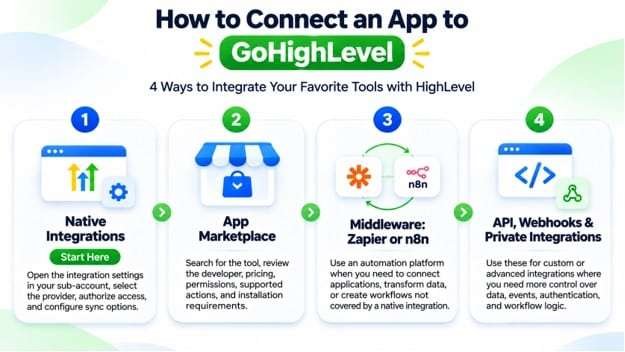
- Native integrations
Start here
Open the relevant integration settings in your sub-account, select the provider, authorize access, and configure the available sync options.
- App Marketplace
Search for the tool in the HighLevel Marketplace, review the developer, pricing, permissions, supported actions, and installation requirements.
- Middleware: Zapier or n8n
Use an automation platform when you need to connect applications, transform data, or create workflows that are not covered by a native integration.
- API, webhooks, and private integrations
Use these for custom or advanced integrations where you need more control over data, events, authentication, and workflow logic.
HighLevel’s current developer documentation covers REST API endpoints for contacts, conversations, calendars, opportunities, payments, and webhooks. Its support documentation also explains Private Integrations for secure, account-specific connections.
How to build a custom GoHighLevel API integration
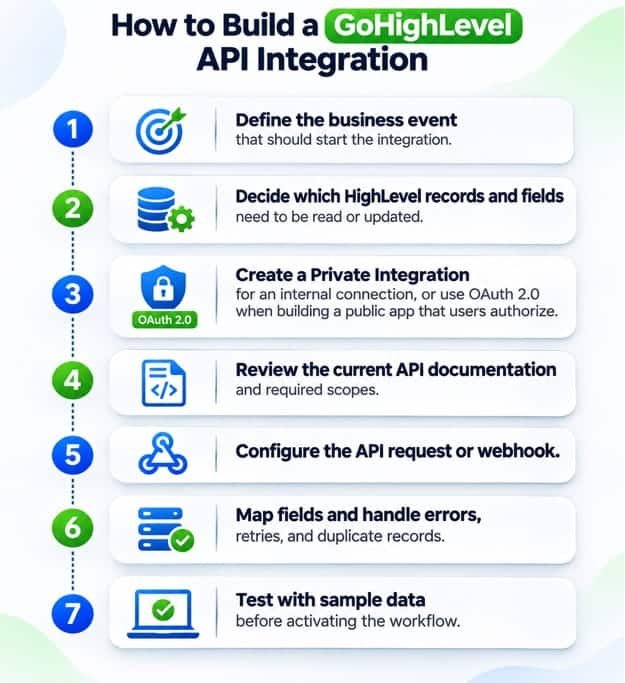
A typical custom integration follows this sequence:
- Define the business event that should start the integration.
- Decide which HighLevel records and fields need to be read or updated.
- Create a Private Integration for an internal connection, or use OAuth 2.0 when building a public app that users authorize.
- Review the current API documentation and required scopes.
- Configure the API request or webhook.
- Map fields and handle errors, retries, and duplicate records.
Test with sample data before activating the workflow.
One important technical update: HighLevel’s documentation states that API v1 reached end of support on December 31, 2025. Developers should use the current API documentation and supported versions rather than starting new projects on legacy v1 endpoints.
Which GoHighLevel integrations should you use?
The right integration stack depends on your business model. You do not need to connect every available app. Start with the tools that solve a clear operational problem.
| Business type | Recommended integrations |
|---|---|
| Marketing agency | Facebook Lead Ads, Google Calendar, Slack, Zapier or n8n |
| Ecommerce business | Shopify or WooCommerce, Stripe, email platform, QuickBooks |
| Real estate agency | Mojo, Google Calendar, JustCall or another phone system |
| Home service company | Jobber, WhatsApp, QuickBooks, call tracking |
| B2B sales team | JustCall, Apollo, Slack, Google Calendar |
| Coaching business | Calendly or HighLevel Calendar, Zoom, Stripe |
| Dental or healthcare practice | Practice-specific software, calendar, approved communication tools |
| SaaS company | Stripe, HubSpot or Salesforce, n8n, Slack |
For most small businesses, a sensible starting stack is a website or lead source, HighLevel CRM, a calendar, a payment provider, and one reliable communication channel. Add more integrations only when there is a measurable need.
Common GoHighLevel integration problems and how to fix them
Even a supported connection can fail because of permissions, field mapping, authentication, or workflow configuration.
| Problem | What to check |
|---|---|
| Contacts are not syncing | Reauthorize the connection and check sync settings |
| Duplicate contacts appear | Review email/phone matching and deduplication rules |
| Facebook leads are missing fields | Check form-field mapping and permissions |
| Calendar appointments are not syncing | Review linked and conflict calendar settings |
| Zapier workflow is not triggering | Test the LeadConnector connection and selected sub-account |
| API requests fail | Check token scopes, API version, request format, and rate limits |
| WhatsApp messages fail | Review number connection, templates, opt-in, and messaging status |
For Facebook Lead Ads, HighLevel specifically documents field mapping as part of the connection process. For calendars, it provides separate settings for linked and conflict calendars.
A useful troubleshooting habit is to test one event from beginning to end. Do not just check whether an app says “Connected.” Confirm that the right contact was created, the expected fields arrived, the workflow ran, and the receiving application processed the action.
Final recommendation
GoHighLevel is most valuable when it acts as the central CRM and automation layer connecting your lead sources, communication tools, payments, and operational software. But the best setup is not the one with the most integrations. It is the one where data moves reliably, teams know which system owns each record, and automations support a clear business process.
Start with native integrations, explore the Marketplace next, and use Zapier, n8n, webhooks, or the API when you need more flexibility. Always verify the current connector’s supported actions before building a business-critical workflow.
Does GoHighLevel integrate with other apps?
Yes. HighLevel supports integrations through its native settings, App Marketplace, automation platforms, APIs, and webhooks. The available connection method depends on the application and the data you need to exchange.
What are the most popular GoHighLevel integrations?
Commonly searched integrations include Shopify, Jobber, WhatsApp, ActiveCampaign, n8n, Zapier, CallRail, QuickBooks, WordPress, Google Calendar, Facebook, Stripe, and Twilio. Their setup methods and supported features vary.
Is GoHighLevel integration free?
Some native connections are included with your HighLevel subscription, but third-party applications may require paid plans. Middleware, API usage, phone services, WhatsApp messages, and other usage-based services may also incur separate charges. Check the provider’s current pricing and your HighLevel usage costs.
Does GoHighLevel have an API?
Yes. HighLevel provides a REST API for supported CRM, conversation, calendar, opportunity, payment, and other operations. It also supports webhooks and Private Integrations. Use the current official API documentation for endpoints and authentication details.
Does GoHighLevel integrate with Zapier?
Yes. Connect through the official LeadConnector app in Zapier. You authorize your HighLevel account and select the sub-account you want to use.
Can I connect Shopify to GoHighLevel?
Yes. HighLevel documents a Shopify connection that can sync supported ecommerce information, including products, collections, contacts, orders, and transactions. Check the current setup guide for the exact sync options.
Does GoHighLevel have a native WhatsApp integration?
HighLevel supports WhatsApp messaging and workflow automation. Setup requires a supported WhatsApp Business connection, and messaging rules, templates, and charges apply.
Can I integrate ActiveCampaign with GoHighLevel?
Yes, through an automation platform such as n8n or another supported API-based connection. You can synchronize selected contacts, tags, and other supported records. Decide which system owns contact status and unsubscribe preferences before enabling two-way sync.
n8n.io
Can I integrate JustCall or Mojo with GoHighLevel?
You can connect them through a supported Marketplace app, middleware, or API workflow where the required events are available. JustCall is useful for business calling and sales communication, while Mojo focuses on real estate prospecting and dialing. Confirm the exact call and contact data that your chosen connector can transfer.
Where can I find the complete GoHighLevel integrations list?
Start with the official HighLevel App Marketplace. It provides searchable listings and filters for apps, categories, business niches, developers, and pricing. The catalog changes, so it is the best place to check current availability.